
Remote job interviews are now the default for most companies hiring globally. And yet, most candidates show up to a video call having spent zero time thinking about how they look and sound on screen. That is a mistake that is easy to avoid.
Whether you are preparing for a live video interview on Zoom or Google Meet, or submitting a recorded async video application, the way you present yourself visually matters. This guide covers everything from free setups to optional upgrades, so you can record video that actually helps you get the job.

Why Video Quality Matters More Than You Think
When a hiring manager reviews 50 video applications or sits through a dozen video interviews, the experience of watching each one is part of the impression you make. Poor audio is exhausting to listen to. A dark, grainy video makes it hard to read your expressions. A distracting background pulls attention away from what you are saying.
The good news is that fixing 90% of common video problems costs nothing. It is mostly about setup, not gear.
The Free Setup That Works for Most People
Fix Your Lighting First
Lighting is the single biggest factor in how good or bad you look on camera.
- Face a window. Natural light from in front of you is flattering and free. A window behind you turns you into a silhouette.
- Add a lamp if you do not have a window. Place a desk lamp at eye level, slightly to one side, pointing at your face.
- Avoid overhead lighting alone. Ceiling lights create unflattering shadows under your eyes. Combine them with a front-facing light source.
Raise Your Camera to Eye Level
Most people use a laptop sitting flat on a desk. The camera points up at your chin and the ceiling. Stack books or a small crate under your laptop until the camera lens is level with your eyes. This single change makes an immediate visible difference.
Use Wired Earbuds for Audio
The built-in microphone on most laptops picks up keyboard clicks, room echo, and background noise. The microphone on a pair of wired earbuds is significantly better because it sits close to your mouth. Plug them in, clip the cable to your collar, and your audio quality will improve immediately at zero cost.
Clean Up Your Background
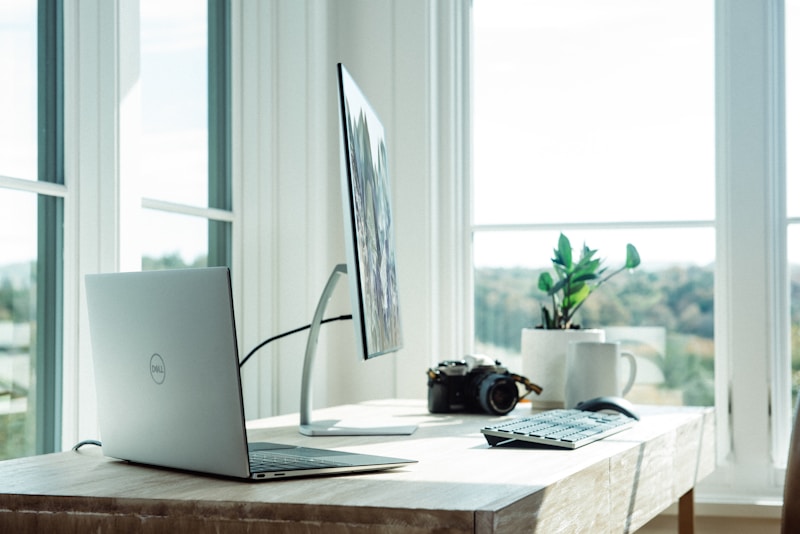
You do not need a dedicated home office. A plain wall, a bookshelf, or a simple plant all work. Move laundry, dishes, or clutter out of frame.
Budget Upgrades That Make a Real Difference
A Ring Light (Under $30)
A small ring light that clips onto your laptop provides consistent, even lighting regardless of time of day or weather. Look for one with adjustable brightness and color temperature so you can tune it to match your room.
A Dedicated USB Microphone (Under $60)
USB microphones in this price range connect directly, require no additional software, and produce audio quality that is clearly better than any built-in microphone. If you record a lot of async video applications or take video calls regularly, this investment pays off quickly.
An External Webcam (Under $80)
If your built-in camera produces a grainy or low-contrast image, a 1080p external webcam is worth considering. The Logitech C920 is the standard recommendation at this price point and produces sharp, well-lit video in most conditions.
Software for Recording Async Video Applications
Some companies ask candidates to submit recorded video answers before a live interview, or instead of one. Here is what to use:
Loom (Free Tier Available)
Loom is built for this. Record your face, your screen, or both. Videos are automatically hosted and shareable via link. The free tier allows videos up to 5 minutes, which is more than enough for most async applications.
OBS Studio (Free, Open Source)
OBS gives you full control over resolution, bitrates, and multiple camera sources. It records locally to your computer in high quality, with no compression from a cloud service. Good for one-take recordings where output quality matters most.
Built-in Camera Apps
Windows Camera and macOS Photo Booth work without any setup. If the company just needs to see and hear you clearly, these are fine.
Recommended Settings When Recording
- Resolution: 1080p (1920x1080) if your camera supports it. 720p is acceptable.
- Frame rate: 30fps. No need to go higher for interview video.
- File format: MP4 for broad compatibility.
- Audio sample rate: 44.1kHz or 48kHz for clear speech.
Tips for Async Video Applications
- Do a test recording first. Watch it back. Check how you look, how you sound, and whether your pacing feels natural. Most people speak too fast when nervous.
- Write a loose outline, not a script. Reading from a script makes you sound flat. Have bullet points and speak conversationally from those.
- Keep it concise. If they ask for a 2-minute video, aim for 90 seconds. Respect their time.
- Look at the camera, not the screen. The natural impulse is to look at yourself in the preview window. Train yourself to look at the camera lens instead. This creates the appearance of eye contact when someone watches the video.
- Re-record if something goes wrong. Unlike a live interview, you can redo it. One clean, confident take is better than a longer one full of corrections.
A Simple Pre-Interview Checklist
- Camera at eye level
- Light source in front of you, not behind
- Wired earbuds or external microphone plugged in
- Background clean and neutral
- Browser notifications silenced
- Phone on silent and face down
- Test call completed on the same platform at least 30 minutes before
- Resume and job description open on a second screen or printed out
The Bottom Line
The best video setup for a remote job interview is the one you have fixed with free adjustments first. Light from the front, camera at eye level, and wired audio will get you most of the way there. What matters most is that the interviewer can see you clearly, hear you without effort, and focus on what you are saying rather than the distractions around you.
Once you have the setup sorted, the next step is finding the right jobs to apply for. JobsHives lists remote jobs open to candidates from every country, with no location restrictions.